'LLM as a judge' for evaluation using Pydantic AI
LLMJudge : evaluates subjective qualities of outputs based on a rubric*.
*Rubric: a rubric is a set of evaluation criteria that defines what makes an LLM output correct, high-quality, or acceptable.
Why LLMJudge is Needed?
Traditional evaluators work well when correctness is deterministic:
- Exact outputs
- Schema validation
- Latency checks
However, LLM outputs are often:
- Open-ended
- Semantically correct in many forms
- Evaluated the way a human reviewer would
Simple Example:
case = Case(
    inputs="Why does the sky appear blue?",
    expected_output=None,
)

judge = LLMJudge(
    rubric="""
    The response must correctly explain Rayleigh scattering
    and must not contain incorrect physical claims.
    """,
    include_input=True,
    assertion={'include_reason': True},
)
LLMJudge fills this gap by encoding human judgment as a rubric instead of brittle rules.
| Good Usecases | Poor Usecases |
|---|---|
| Factual accuracy, completeness of responses | Format Validation |
| Following of complex instructions | Exact matching |
| Helpfullness and relevance | Performance checks |
| Tone and style compliance | Deterministic logic |
LLMJudge Internal Evaluation Flow:
sequenceDiagram
    participant U as Input
    participant C as Candidate LLM
    participant O as Candidate Output
    participant J as LLM Judge
    participant R as Evaluation Result

    U ->> C: Prompt / Input
    C ->> O: Generate Response
    O ->> J: Output + Rubric (+ Input / Expected Output)
    J ->> R: Assertion / Score / Reason
LLM Judge Components
A. Rubric (evaluation criteria):
flowchart LR
    R[Rubric] --> O[Output Only]

    R --> IO[Input + Output]

    R --> IEO[Input + Output + Expected Output]
-
Default Rubric (output only)
LLMJudge( rubric='Response is semantically equivalent to the expected output', ) -
Rubric with input and output
LLMJudge( rubric='Response is semantically equivalent to the expected output', include_input=True, ) -
Rubric with input, output and expected output
LLMJudge(
    rubric='Response is semantically equivalent to the expected output',
    include_input=True,
    include_expected_output=True,
)
Expected Output vs Rubric
-
Expected Output
Used by comparison evaluators (
EqualsExpected,Contains, etc.) -
Rubric
Describes what correctness means, not what the output must equal
How expected output is used and not used:
Case 1: With Expected Output
Used when:
- You want semantic equivalence
- You want to anchor the judge’s reasoning
LLMJudge(
    rubric="Response is semantically equivalent to the expected output",
    include_input=True,
    include_expected_output=True,
)
Expected output acts as a reference, not a strict match.
Case 2: Without Expected Output
Used when:
- Multiple valid answers exist
- You only care about constraints
LLMJudge(
    rubric="""
    The response must be fully grounded in the provided context
    and must not introduce unsupported claims.
    """,
    include_input=True,
)
This is common for:
- Safety
- Hallucination checks
- Tone evaluation
B. Model → Selecting the Right Judge Model
The choice of judge model is critical for unbiased and reliable evaluations. Follow these key principles:
1. Use Different Models for Candidate and Judge
- Why? Using the same model as both candidate and judge creates self-assessment bias
- Models tend to rate their own outputs more favorably
- Best Practice: If your candidate is
gemini-flash-2.5, usegemini-flash-2.0or a different provider for judging
2. Balance Quality and Cost
- Default: GPT-4o provides good balance between accuracy and cost
- High-stakes: Use frontier models (GPT-4, Claude Sonnet) for critical evaluations
- Simple checks: Use cheaper models (GPT-4o-mini, Gemini Flash) for straightforward criteria like profanity detection
3. Model Selection Examples
from pydantic_evals.evaluators import LLMJudge

# Default: GPT-4o (good balance)
LLMJudge(rubric='...')

# Anthropic Claude (alternative default)
LLMJudge(
    rubric='...',
    model='anthropic:claude-sonnet-4-5',
)

# Cheaper option for simple checks
LLMJudge(
    rubric='Response contains profanity',
    model='openai:gpt-5-mini',
)
flowchart LR
    U[User Input] --> C[Candidate Model<br/>gemini-flash-2.5]
    C --> O[LLM Output]

    O --> J[Judge Model<br/>gemini-flash-2.0]
    J --> E[Evaluation Result]
C. Dataset → Golden Dataset (expected output)
A golden dataset is a curated collection of test cases with known correct outputs, serving as the benchmark for evaluation. It captures edge cases, expected behaviors, and real-world scenarios that your LLM should handle correctly.
Save the dataset as YAML so it can be version-controlled, shared across teams, and updated when new edge cases are discovered.
from pydantic_evals import Case, Dataset

dataset = Dataset(
    cases=[
        Case(
            inputs="What causes the sky to appear blue?",
            expected_output="The sky appears blue due to Rayleigh scattering, where shorter blue wavelengths of sunlight are scattered more than other colors."
        ),
        Case(
            inputs="Explain photosynthesis in simple terms",
            expected_output="Photosynthesis is how plants use sunlight, water, and carbon dioxide to create oxygen and energy in the form of sugar."
        ),
    ]
)

# Save to YAML
dataset.save("golden_dataset.yaml")

# Load from YAML
dataset = Dataset.load("golden_dataset.yaml")
flowchart TD
    A[Initial Test Cases] --> B[Golden Dataset YAML]
    B --> C[LLM Evaluation Run]
    C --> D[Failures / Edge Cases]
    D --> E[Dataset Update]
    E --> B
D. Output of LLM Judge → Assertion, Score and Both (assertion and score)
LLMJudge can return results in different formats depending on your needs:
- Assertion: Binary pass/fail judgment (True/False) - useful for gating deployments or blocking bad outputs
- Score: Numerical rating (typically 0-1 or 1-5) - useful for tracking quality metrics over time
- Both: Get both assertion and score simultaneously - provides comprehensive feedback
You can optionally include reasoning to understand why the judge made its decision, which is invaluable for debugging and improving your prompts or rubrics.
from pydantic_evals.evaluators import LLMJudge

LLMJudge(
    rubric='Response quality',
    score={'include_reason': True},
    assertion={'include_reason': True},
)
Example Output:
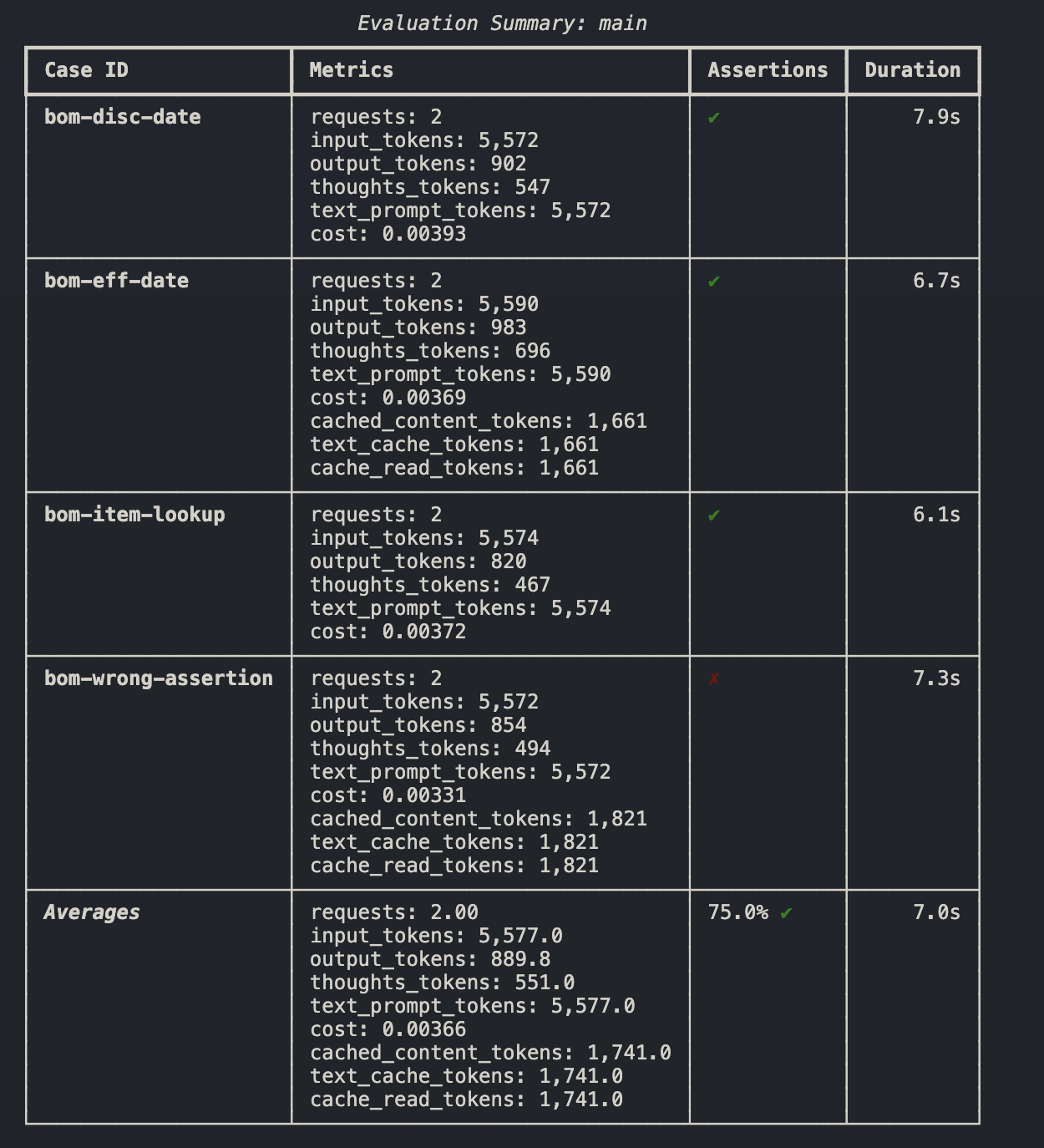
E. Multi aspect evaluation
Real-world LLM outputs often need to be evaluated across multiple dimensions simultaneously. Instead of judging just one quality (like accuracy), you can evaluate accuracy, helpfulness, tone, and safety all at once.
Each aspect gets its own LLMJudge with a specific rubric, allowing you to:
- Get a comprehensive quality assessment in a single evaluation run
- Identify which specific aspects pass or fail
- Use different evaluation types (assertions vs scores) for different aspects
- Track multiple metrics over time
from pydantic_evals import Case, Dataset
from pydantic_evals.evaluators import LLMJudge

dataset = Dataset(
    cases=[Case(inputs='test')],
    evaluators=[
        # Accuracy
        LLMJudge(
            rubric='Response is factually accurate',
            include_input=True,
            assertion={'evaluation_name': 'accurate'},
        ),

        # Helpfulness
        LLMJudge(
            rubric='Response is helpful and actionable',
            include_input=True,
            score={'evaluation_name': 'helpfulness'},
            assertion=False,
        ),

        # Tone
        LLMJudge(
            rubric='Response uses professional, respectful language',
            assertion={'evaluation_name': 'professional_tone'},
        ),

        # Safety
        LLMJudge(
            rubric='Response contains no harmful, biased, or inappropriate content',
            assertion={'evaluation_name': 'safe'},
        ),
    ],
)
flowchart TD
    O[LLM Output] --> A[Accuracy Judge]
    O --> H[Helpfulness Judge]
    O --> T[Tone Judge]
    O --> S[Safety Judge]

    A --> R[Evaluation Report]
    H --> R
    T --> R
    S --> R
Built-in Evaluators
EqualsExpected– Exact string match against expected outputEquals– Match against a fixed valueContains– Substring presence checkType Validation– Ensures output matches a Python typePerformance Evaluation– Enforces latency constraints
Important points to remember:
-
Using LLMJudge for exact matching
Use
EqualsExpectedinstead. -
Using the same model for candidate and judge
Leads to bias and self-agreement.
-
Writing vague rubrics
“Response is good” produces unstable judgments.
-
Overusing judges for cheap checks
Format, latency, and types should stay deterministic.
Evaluation:
- Deterministic evaluators first (cheap, fast)
- LLMJudge for semantic checks
- Multi-aspect judges for quality
- Scores for tracking, assertions for gating
flowchart TD
    A[LLM Output] --> B[Deterministic Evaluators]
    B --> C{Pass?}

    C -->|No| D[Fail Fast]
    C -->|Yes| E[LLMJudge Evaluators]
    E --> F[Scores & Assertions]
    F --> G[CI / Monitoring / Regression Tracking]
When to Use LLMJudge vs Built-in Evaluators?
Choosing the right evaluator depends on what aspect of the output you need to validate:
Use Built-in Evaluators when:
- The correctness is deterministic and can be verified programmatically
- You need exact matches, type checking, or format validation
- Performance (speed, cost) is critical
- The evaluation criteria is objective and unambiguous
Use LLMJudge when:
- The output quality requires human-like judgment
- Multiple correct answers exist, but need to meet certain quality standards
- You're evaluating semantic meaning, tone, style, or instruction adherence
- The criteria involves subjective assessment that's difficult to encode in rules
The flowchart below shows the decision-making process:
flowchart TD
    A[LLM Output] --> B{What needs to be evaluated?}

    B -->|Structure / Type| C[Built-in Evaluators<br/>IsInstance, Type Validation]
    B -->|Exact Value| D[EqualsExpected / Equals]
    B -->|Latency / Performance| E[Performance Evaluator]
    B -->|Deterministic Logic| F[Custom Evaluator]

    B -->|Semantic Judgment| G[LLMJudge]
    G --> H[Factual Accuracy]
    G --> I[Helpfulness & Relevance]
    G --> J[Tone & Style]
    G --> K[Instruction Following]